
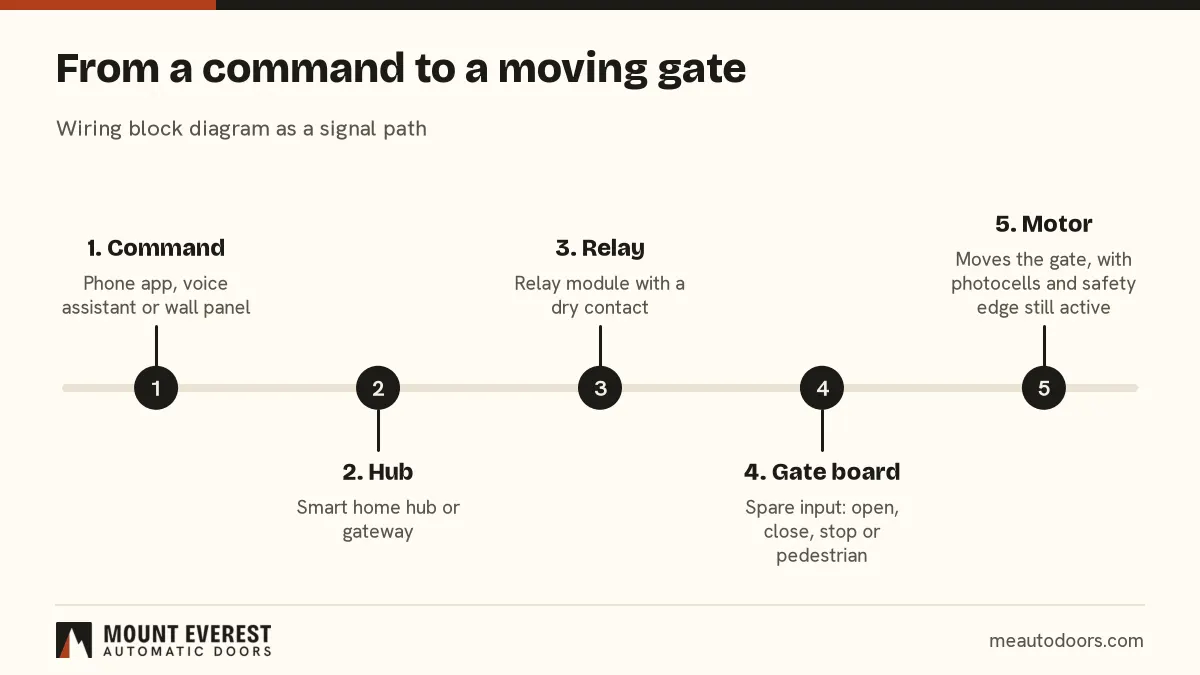
Short answer: To connect a villa gate to a smart home system in Dubai, the usual method is a dry contact: the integrator's relay closes a potential free contact on a spare input of the gate control board, and the gate controller does the rest. Ask the gate installer to expose separate inputs for open, close, stop and pedestrian, keep every safety device active, and give the integrator a wiring diagram and the gate model.
In short
- A dry contact is a relay switch with no voltage on it. It presses the same input a wall button would press.
- The gate controller keeps the safety logic. The smart system only sends a command.
- Never let an integration bypass the photocells, safety edge or manual release.
- Ask for status feedback if you want to see whether the gate is open, closed or left open.
- Plan accounts, shared access and alerts as carefully as the wiring.
What does a smart home integrator need from the gate?
Four things: a way to send a command, a way to read the gate state, a power supply that is not shared with the gate motor, and a clear record of what was connected. Most villa projects fail at the hand-off between the integrator and the gate installer, not at the technology. Each assumes the other has provided the connection.
On Palm Jumeirah, in Jumeirah and in Dubai Hills Estate, villas often have a smart home installer on the project alongside the gate or garage door contractor. This page is the brief both can work from. For the basics of control from a phone, see our answers on operating a gate or door from a smart home app and connecting a garage door to a smart home.
What is a dry contact, and why does it matter?
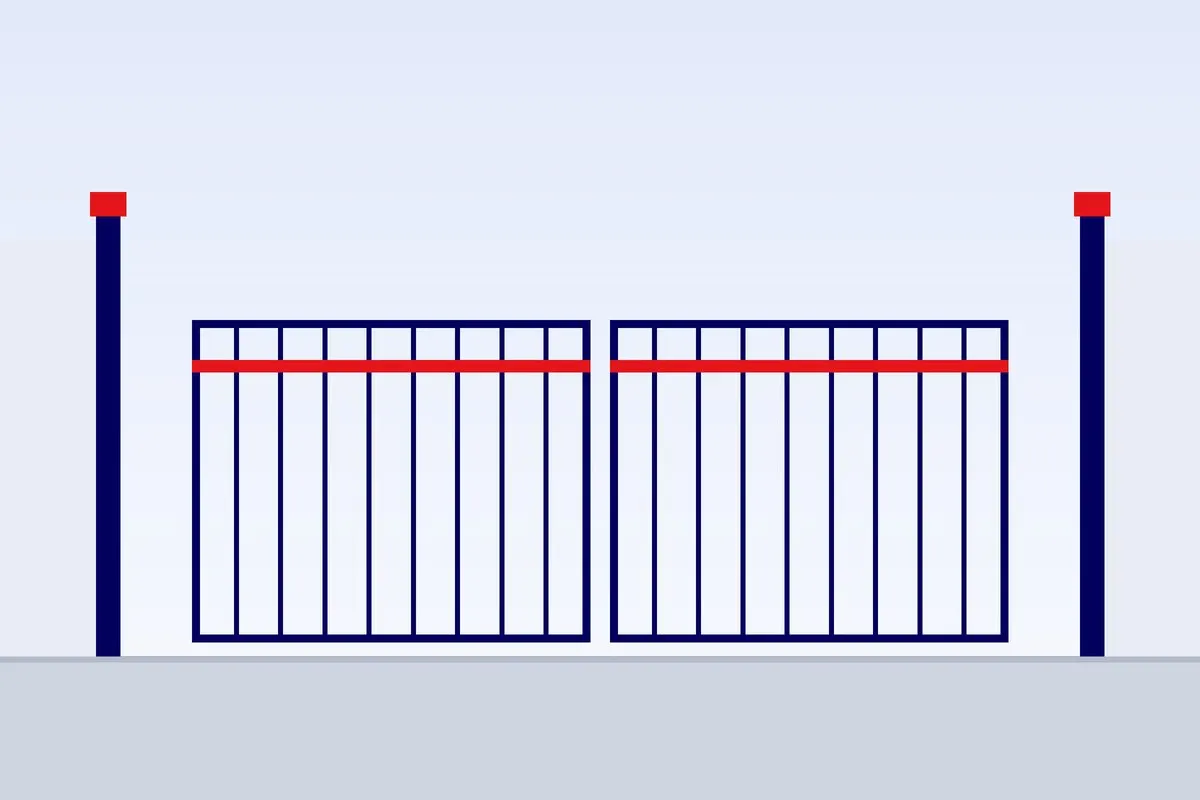
A dry contact, also called a potential free contact, is a relay that opens or closes a circuit without putting any voltage on it. Think of it as an electronic finger on a button. The gate board has input terminals for a button, a keypad or a key switch. Wiring a dry contact to those terminals lets a smart home relay do what a person would do at the wall.
It matters for two reasons. First, it avoids sending live voltage into the gate board, which can damage it. Second, it keeps the gate controller in charge of speed, force, limits and safety. The smart system does not need to know how the gate works. It only closes a contact.
Which integration methods exist, and what should I watch for?
There are several routes. They can be combined, but each should be chosen on purpose.
Integration methods compared
| Method | How it works | Good for | Watch for |
|---|---|---|---|
| Dry contact relay from the smart home | A relay module closes a spare input on the gate board | Local control, quick response, works without the internet if the hub is local | Voltage rating, wiring distance, who owns the relay |
| GSM or Wi-Fi gate module | A module on the gate board takes commands from an app or a call | Remote opening and sharing without a hub | Account security, SIM or Wi-Fi coverage, power cut behaviour |
| Manufacturer app or cloud | The brand's own connectivity talks to the opener | Simple setup on supported models | Depends on the maker's service and on the model |
| Protocol gateway | A gateway translates between the smart home protocol and relay inputs | Larger projects with a central control system | Who programs it, and who supports it later |
| Intercom release | A video intercom relay triggers the gate | Letting visitors in from inside the house | Release wiring, door station power, visitor logs |
Our page on GSM and Wi-Fi gate openers describes the module route in detail, and our service on intercom systems covers the intercom release. Our answer on whether GSM gate openers are secure sets out the account and number controls to ask about.
How do I write the brief for the integrator?
One page is enough. It should be given to both the integrator and the gate installer so that nobody is guessing.
One page integration brief
- Gate or opener brand, model and the control board model.
- Which inputs are free: open, close, stop, step by step and pedestrian.
- The voltage and current the relay will switch. It should be low voltage, potential free.
- Where the relay module will be mounted, and the cable route to the gate board.
- Whether the gate gives a status output for open, closed or moving.
- Who supplies power to the relay and the hub, and what happens in a power cut.
- Who holds the app accounts, and who can share access.
- A wiring diagram, saved at handover.
Who does what?
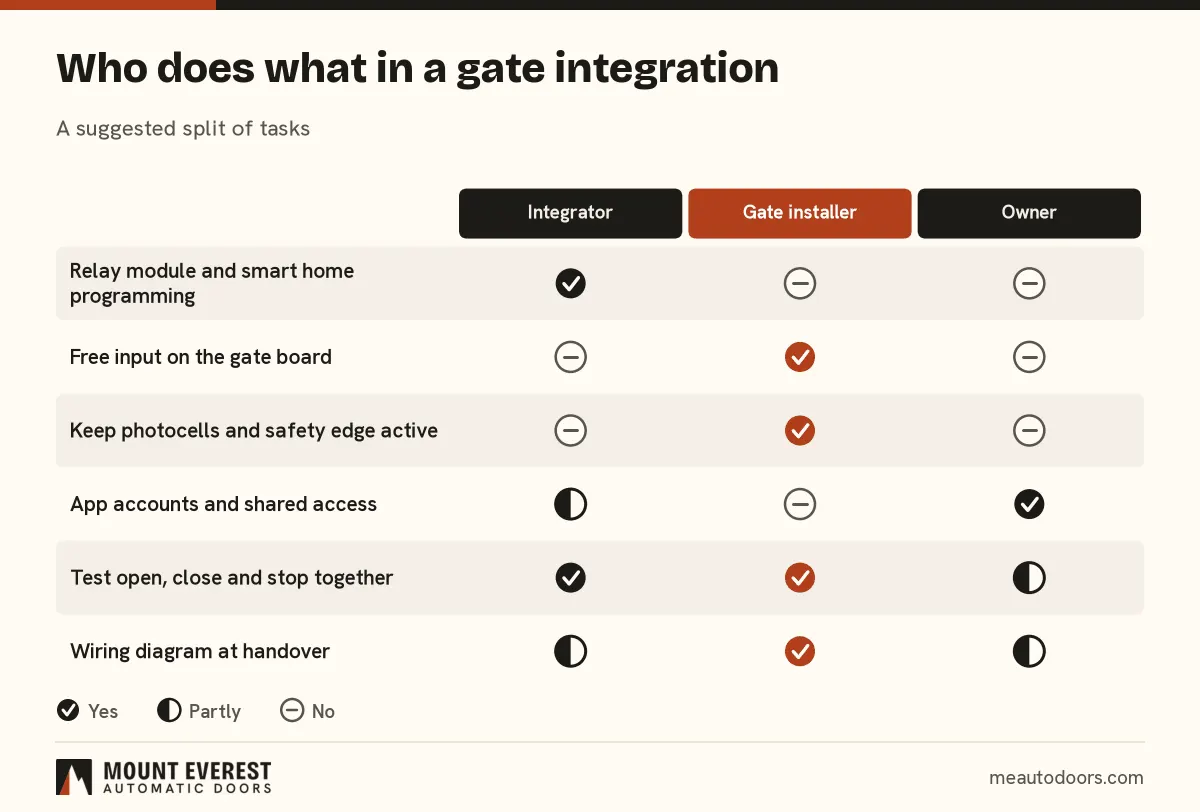
The split below avoids the usual blame game. Adjust it for your project and write it down.
How do I keep it safe?
A gate is a heavy moving object. The smart system must not remove any protection, and it must not let a command move a gate that is blocked.
- Keep photocells and the safety edge active. They are wired to the gate board, not to the smart system. Do not move them or wire around them.
- Test open, close and stop together. The integrator and gate installer should test with a person at the gate. Check that a blocked gate stops and that stop really stops.
- Keep the manual release working. If the hub, the Wi-Fi or the mains fails, the owner must still be able to move the gate by hand and open it with the remote.
- Decide close commands carefully. Some owners prefer that a phone can open the gate but only a local command closes it, so a gate is never closed on someone unseen.
- Stop if unsure. If a gate behaves oddly after the integration, switch the smart control off and call a technician.
How do I secure the accounts and the alerts?
An app that opens your gate is a key. Treat it like one.
- Use a strong password and two step verification where it is offered.
- Give each person their own login, so access can be removed without changing everything.
- Remove access for staff, tenants and contractors when they leave.
- Ask for a left open alert, which needs a status signal from the gate, and decide who receives it.
- Keep an event log if the system has one. It helps when a gate opens at an odd hour.
Our answer on a LiftMaster opener that obeys the remote but not the app shows how a phone link can fail while the remote still works. LiftMaster offers phone connectivity on many openers, and CAME makes gate controllers and remotes, so the brand on your gate is the first fact to give an integrator.
What about garage doors?
A garage door opener is similar, with its own inputs for a wall button and a remote. The same dry contact method works on many openers, but the exact input depends on the model. Ask for the opener model and photograph the terminals. Our garage door openers page lists the types. A Palm Jumeirah villa is a typical example, where the door itself is part of the facade.
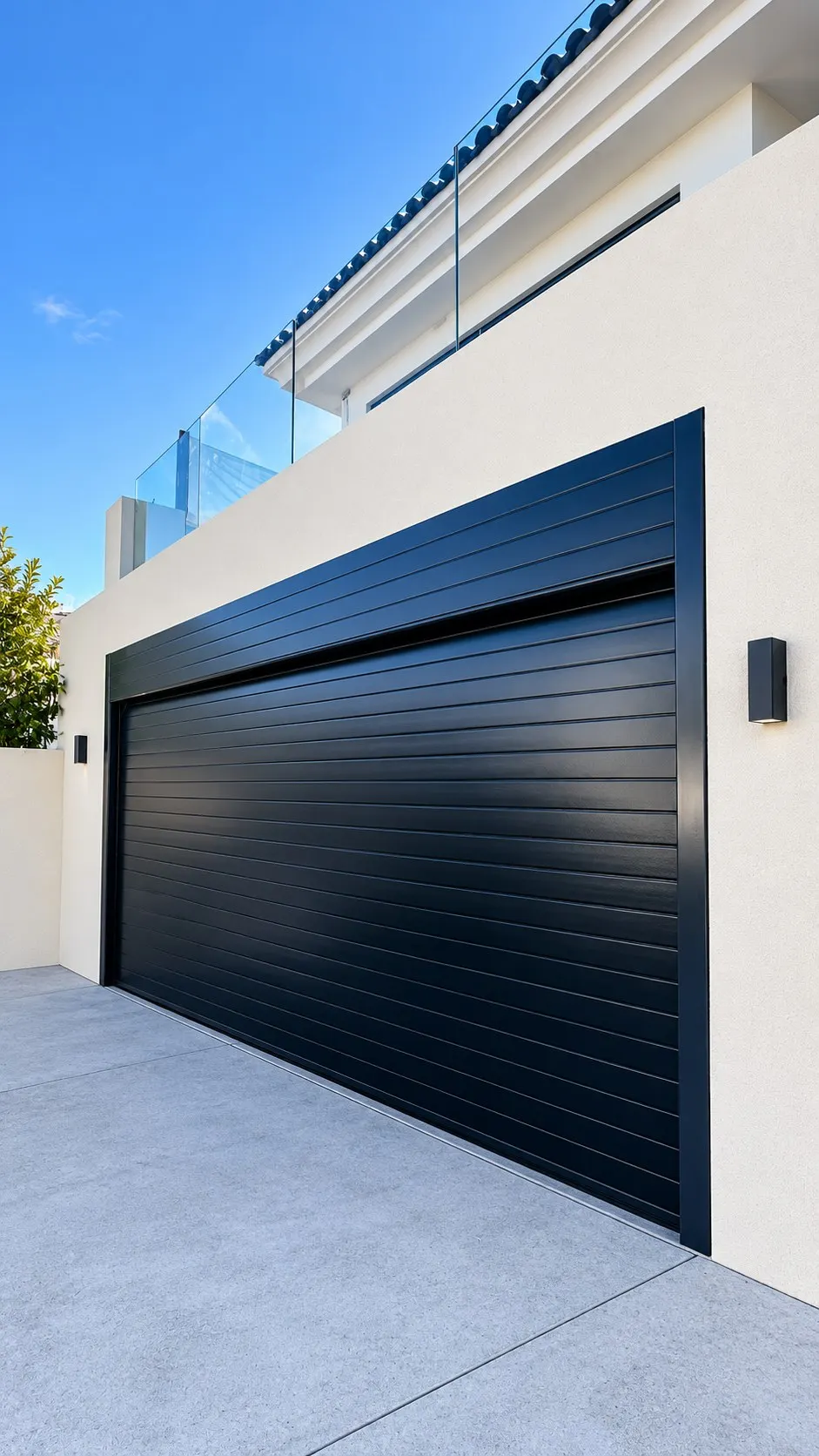
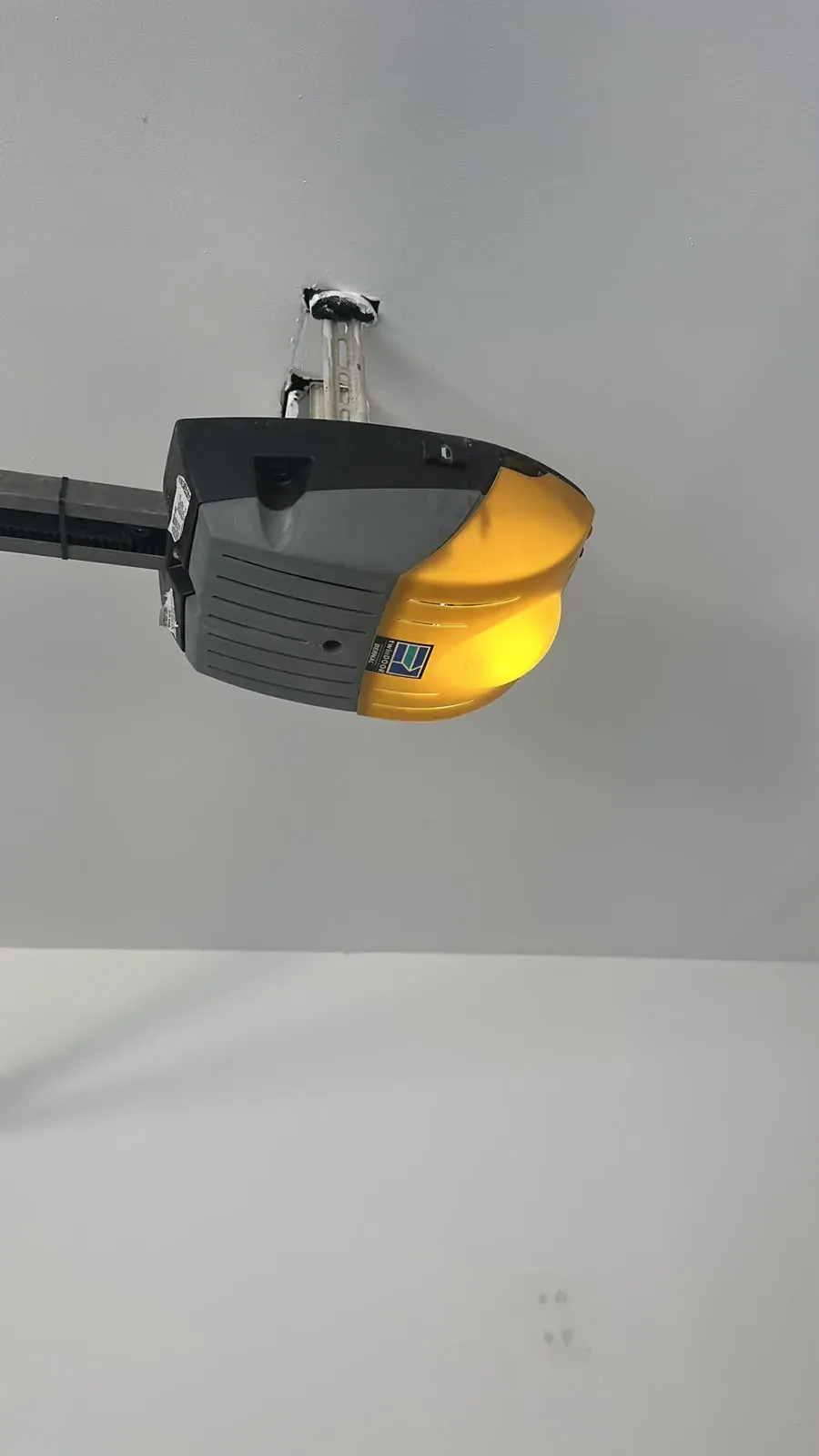
See the black garage door installation on Palm Jumeirah for how the door sits in the opening. For ceiling units, the Bernal Twin Door opener below was repaired on Palm Jumeirah.
What do I send to Mount Everest Automatic Doors?
What to send us
- A photo of the gate motor or opener and its label.
- A close photo of the control board and its terminals.
- The integrator's name and what system they use, if known.
- What you want to do from the phone: open, close, status, alerts.
- The villa's community or street, and whether it is a new build or an existing gate.
Mount Everest Automatic Doors is an installer and service company based in Al Quoz, Dubai. We are not the manufacturer of the gates or motors we fit. A technician visits free before anything is fitted, finds the spare inputs, checks the safety devices and the power, then gives a written quote after seeing the job. We can work with the integrator on site so the contact, wiring and testing are agreed. See also automatic swing gates, automatic sliding gates and our guide on gate motors, power cuts and battery backup.
Frequently asked questions
Can any smart home system open my gate?
In principle yes, if the gate board has a free input that a relay can close. In practice it depends on the board model and on who provides the relay. Give the integrator the gate model and a photo of the board, and ask the gate installer to confirm which input to use. Do not wire it without that confirmation.
Will Alexa, Google Home or HomeKit open my gate directly?
Not directly. Those assistants talk to an app, hub or bridge, and the bridge sends a command to a relay or a gate module. Check how the system handles the open command and whether it asks for confirmation. Voice control of a moving gate needs careful settings, and many owners limit it to opening only.
What happens to the smart control in a power cut?
It depends on what is powered from where. If the hub or router loses power, the phone control stops, but the remote and the manual release should still work. Ask the integrator and the gate installer what is on battery backup, and test it. Do not assume the gate battery also powers the hub.
Is it safe to let a phone close the gate?
It can be, if the gate's photocells and safety edge stay active and nobody is blind to the gate. Some owners allow a phone to open the gate, but let close happen only by a local control or a timer. Decide this with your installer and test it with a person at the gate.
Who should hold the wiring diagram?
Both the integrator and the owner, with a copy for the gate installer. A one page diagram showing the relay, the cable route, the input used and the power supply saves hours when something is changed. Ask for it at handover, in print and as a photo, and keep it with your other villa documents.
Can you connect a gate to a system you did not install?
Often yes. We start by reading the label and the board, then check what inputs are free, and agree the connection with the integrator. If the gate board has no spare input or the model is unknown, we say so and discuss what is possible. Send photos first through the photo form.
Ready to brief your integrator and gate installer?
Call +971 50 494 8667 or use the quote form. Send photos of the motor and the board through send a photo, or book a free site visit. We cover Dubai villas, with jobs in other emirates booked by appointment.
Want this done properly?
Send a photo of your door or gate and we will tell you what we see.