
Short answer: Treat your gate app like a house key that can be copied by tapping. Give every person their own login, use a strong unique password and two step sign in where the app offers it, keep guest access short and time limited, and delete old users. Never share one family login, and ask your installer who can change settings.
In short
- One person, one login. Shared passwords make it impossible to know who opened the gate or to remove one person safely.
- Guests get a pass with an end time, not your own account.
- The phone, the home Wi-Fi and the gate unit are three separate weak points. Secure all three.
- Remove access the day someone leaves your household, your staff or your rented property.
- Keep the manual release and a physical remote working, so a dead phone never locks you out.
Why does gate app security matter for a Dubai villa?
A phone controlled gate opens to anyone who holds the right login, so the login is the lock. A mechanical key stays in one pocket. An app account can be shared by message, left signed in on an old tablet or guessed if the password is weak.
Villa communities such as Arabian Ranches and Mirdif have a steady flow of drivers, maids, nannies, deliveries and contractors. Many households end up passing around one shared login because it is quick. That works until a driver leaves, a tenant moves out or a phone is lost, and you cannot tell which copy of the access is still live.
This guide is about the household side: accounts, roles, guest access and what to ask your installer. It does not replace the maker's own security advice, so read the manual for the exact options in your unit.
What does a gate app actually connect to?
Most phone control reaches the gate by one of three routes, and each has a different risk.
| Route | How it works | Main thing to protect |
|---|---|---|
| Cloud app over Wi-Fi | The phone talks to the maker's server, which talks to a module on your Wi-Fi | The app account and your router |
| GSM module | A SIM in the gate unit answers calls or messages from approved numbers or an app | The approved number list and the SIM |
| Bluetooth near the gate | The phone talks to the gate unit only when it is close by | The phone itself and who can pair with it |
Our page on GSM and Wi-Fi gate openers explains the hardware side, and the same thinking applies to a garage door opener with phone control. The short version for security is simple: whichever route you use, the weakest piece is usually a person, not the electronics. A reused password, a shared login or a phone with no screen lock does more harm than any technical flaw.
Caller ID based systems deserve a note. A list of approved phone numbers is convenient, but a number is not a password. Ask the supplier how the unit checks the caller, and whether an app or code option exists as well. Our FAQ on whether GSM gate openers are secure covers the question in plain terms.
How should I set up accounts and passwords?
Create the owner account yourself, on your own phone, with a password you use nowhere else. Do not let the installer keep the owner account or sign in with their details, even for convenience.
- Use a long unique password or a passphrase from a password manager.
- Turn on two step sign in if the app offers it, and keep the recovery email under your control.
- Give each family member an invitation to their own login, rather than handing over yours.
- Set a screen lock on every phone that holds the app. Treat a phone without one as a gate left open.
- When someone gets a new phone, sign the old one out and remove it from the list.
- Write down, on paper kept in the house, which email owns the account. People forget this and then cannot recover it.
If the app does not support separate users at all, say so at the survey. It is a fair reason to choose a different unit or to add a keypad or tag reader for staff and guests, as described on our intercom systems page.
What roles and permissions should each person get?
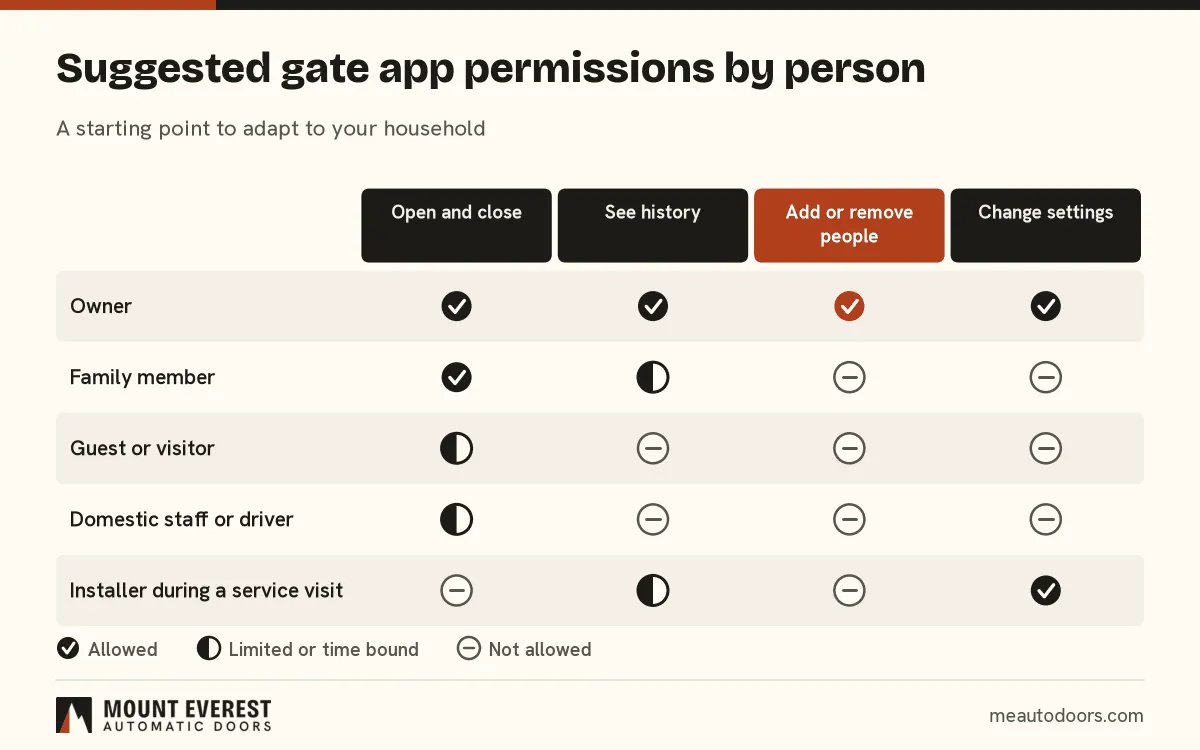
Give the least access that does the job. Most people only need to open and close. Very few need to add other users or change settings.
| Person | Open and close | Add or remove people | Change settings |
|---|---|---|---|
| Owner | Yes | Yes | Yes |
| Family member | Yes | No | No |
| Guest or visitor | Limited, with an end time | No | No |
| Driver or domestic staff | Limited, ideally on set days | No | No |
| Installer or technician | Only during a visit | No | Yes, during the visit |
Settings matter more than people expect. The auto close timer, the pedestrian opening and the sensitivity of the safety stop are all safety related. A child or a guest changing them by accident is a real risk, especially with a sliding gate. Read the safety notes in our guide to operating a gate from a smart home app.
How do I give guests access without giving away the gate?
Use a time limited pass or a one time code if your system supports it, and open the gate yourself from the app if it does not. Never give a guest your own login to save time.
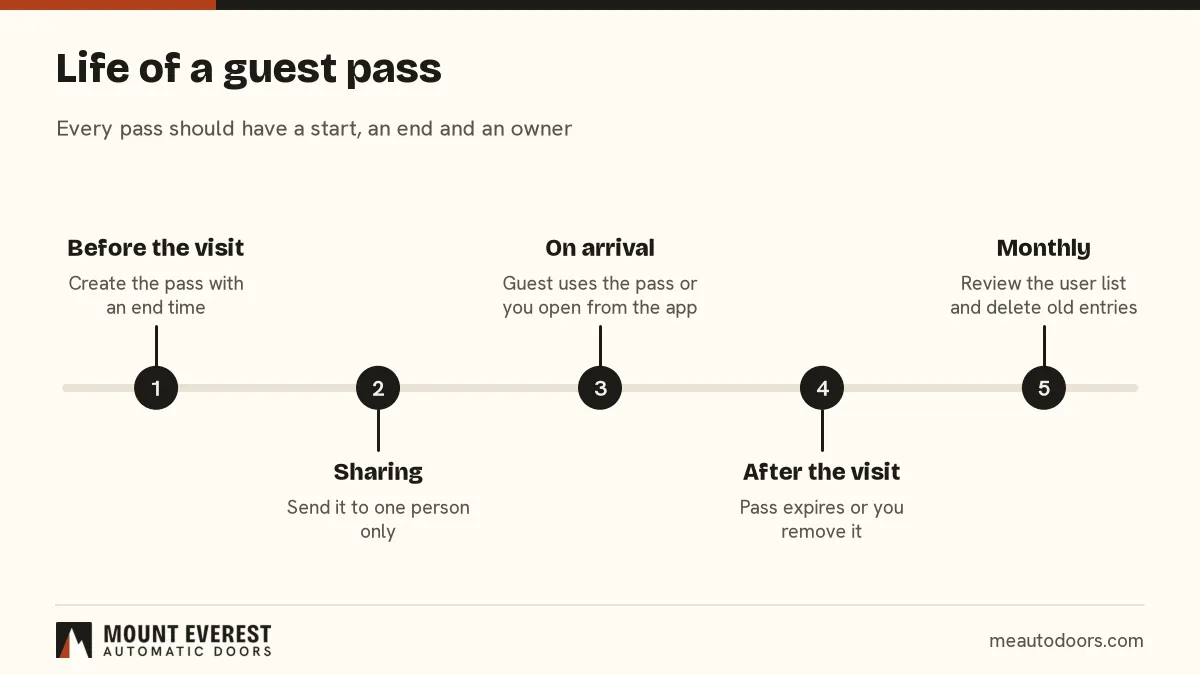
Good practice for guest access:
- Create the pass for one person and one window, such as an evening or a day.
- Choose an end time every time. If the system has no end time option, remove the guest by hand afterwards.
- Do not post a code in a group chat or a building notice. Groups grow, and screenshots travel.
- For a regular visitor such as a tutor or a cleaner, review the pass monthly rather than leaving it open for ever.
- For a party or a gathering, open the gate by hand from the app or from a person at the gate, and keep passes off.
Which weak points sit outside the app?
The app is only the front door. Three things sit behind it.
The home Wi-Fi. A gate module on a shared router can be reached by anything on the same network. Where the router allows it, put smart devices on a separate network from your laptops and change the router's default admin password. A technician can tell you which port or address the module uses, so ask.
The gate unit. Change factory default codes and PINs on the control board and on any keypad. Defaults are known to everyone who has read the manual. Ask your installer to show you which codes were changed and where they are recorded.
The remotes. Old remotes stay valid until someone erases them from the receiver. After a tenant, a driver or a contractor leaves, ask for the receiver memory to be cleared and new remotes issued. Our FAQ on adding more remotes later explains how receivers store them.
Power also matters. If a power cut leaves the unit offline, you should still be able to open the gate by the manual release. Our guide to gate motors, power cuts and battery backup covers that.
What should I do when a phone is lost or someone leaves?
Act in this order, because speed matters more than tidiness.
- Remove that user or that phone from the gate app, from another phone or a computer.
- Change the password on the owner account if the lost phone was signed in as the owner.
- Clear any remote, tag or code that person held.
- Check the history list if the app keeps one, and look for openings you do not recognise.
- Tell the building or community office if your gate faces a shared road.
For rented villas, do this on the move out day as part of the handover. Add it to the key return list next to the main door key and the parking card.
When should I stop and call a technician?
Leave the gate to a technician if it opens or closes on its own, if the safety stop no longer works, if a setting you did not change has moved, or if the unit shows a fault light. An unexplained opening may be a wiring fault, a stuck relay or an unauthorised command, and only a check on site tells which. Do not reset the control board yourself. Do not open the control box. Keep people clear of the gate and use the manual release only if you must move it.
See it on a real job
Project
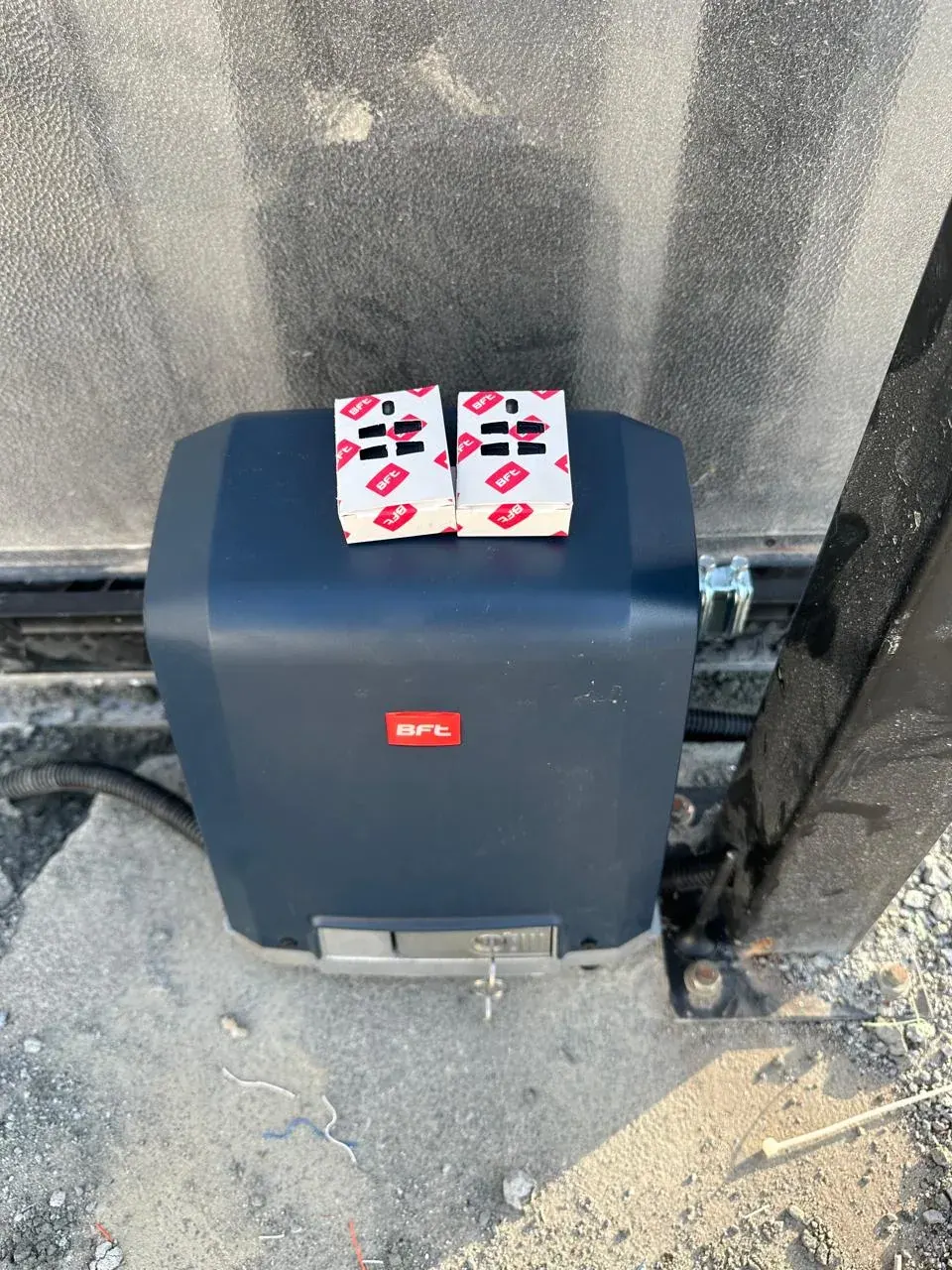
BFT sliding gate motor installation in Al Warqa, Dubai
The photo shows a BFT motor beside the gate with two remote controls on top. Physical remotes like these are a good backup to the phone, which is why we suggest keeping both. See the full project record and the BFT brand page.
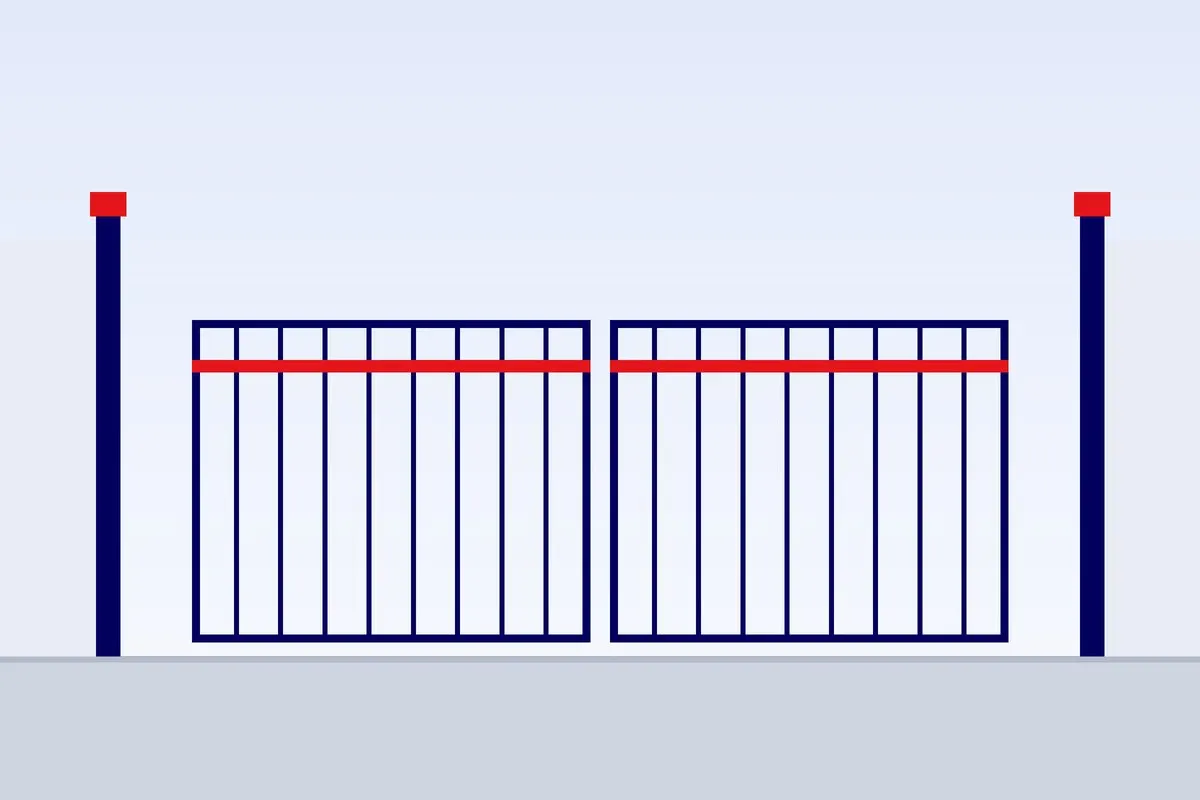
For a new villa gate with phone control, compare automatic sliding gates with automatic swing gates. The right choice depends on your driveway, not on the app.
Frequently asked questions
Can two family members use the gate app on the same account?
They can, but it is not a good idea. You lose the history of who opened the gate, and removing one person means changing the password for everyone. Ask whether your app lets you invite separate users. If it does not, a keypad or a tag for the second person is cleaner than a shared login.
Is a code or a QR pass safer than an app login for guests?
A pass with an end time is safer than sharing a login, because it expires on its own. A code without an end time is no better than a shared password. The answer depends on the features of your unit, so ask the installer to show how an expiring pass is made.
What if my phone battery dies and the gate will not open?
Keep a physical remote or a keypad as a second route, and know where the manual release key is. A gate that can only be opened by one phone is a single point of failure. Test the manual release once so you are not learning it in the dark.
Should I put the gate unit on the same Wi-Fi as my laptop?
If your router supports a separate network for smart devices, use that. It limits what another device on the network can reach. If it does not, keep the router firmware current, change its default password and turn off features you do not use.
Can a tenant keep using the gate app after moving out?
Yes, until you remove them. Add the gate app and the remotes to the move out checklist, and ask for the receiver memory to be cleared. If the tenant owned the account, make sure the account is moved to the landlord before the handover.
Does a GSM gate opener need a phone number list?
Many do, and the list is the lock. Keep it short, review it often and ask the supplier whether the unit also supports an app or code option. Remove numbers of people who no longer live or work at the property.
Who can see my gate history?
That depends on the app. The owner account usually sees the history, and other users may or may not. Check what your app records before you rely on it for anything important, and do not assume a log exists.
Send us the details and we will advise
What to send us
- A photo of the gate and the control box, with the cover open if it is safe to do so
- The width of the opening and the gate type: sliding or swing
- The motor or control board brand, from the label
- Which app or module you have now, or what you would like to use
- Your community or area, for example Arabian Ranches or Mirdif
Call or WhatsApp +971 50 494 8667, ask for a written offer on the quote form, send photos through the photo page, or book a visit on the site visit page. Mount Everest Automatic Doors covers Dubai first and books jobs in the other emirates by appointment.
Want this done properly?
Send a photo of your door or gate and we will tell you what we see.